---
title: Signing And Notarizing
date: '2021-02-02'
words: 1248
collection: ramblings
---
As I've been a contributor to
[Alacritty](https://github.com/alacritty/alacritty), I've had to read and
respond to a number of complaints about our stance on releases and packaging
our application for macOS and Windows. There
[have](https://github.com/alacritty/alacritty/issues/4529) been [a
lot](https://github.com/alacritty/alacritty/issues/3448) of different
[complaints](https://github.com/alacritty/alacritty/issues/1896) recently about
[code signing](https://github.com/alacritty/alacritty/issues/4731) and
[notarization](https://github.com/alacritty/alacritty/issues/4673).
Users are understandably hoping to have a seamless experience running the
software they download from our
[releases](https://github.com/alacritty/alacritty/releases) page. However, the
seamless experiences of yesteryear are changing and both Apple and Microsoft
have left open source developers in the dust when architecting their new
platform requirements.
In this rant, I hope to explain what [1. code signing](#1-code-signing) and [2.
notarization](#2-software-notarization) are, and what they offer in terms of
security. I offer some [3. suggestions](#3-suggestions) for users on how to think
about who they are trusting in the software distribution. Next, I hope to show
the difference between between [4. developing and distributing
software](#4-development-vs-distribution). Since Linux, macOS, and Windows all
allow applications built locally to be run freely, I argue that code signing
and notarization are purely issues of distribution.
### 1. Code Signing
A digital signature in cryptography is a "public-key" algorithm (e.g.
[DSA](https://en.wikipedia.org/wiki/Digital_Signature_Algorithm)) which allows
a third party to verify a message, $$x$$, was signed with a secret key
corresponding to a known public key. If the message or key do not match that of
the signer, then the verification will fail. Mathematically we can view this as
a two part algorithm:
1. **Key generation and distribution:** A public key $$pk$$ and a private key
$$sk$$ are generated from some generator $$G$$, the public key is shared
with everyone, while the secret key is held only by the signer
$$(pk, sk) \leftarrow G$$
2. **Signing and verification:** A _correct_ signature algorithm has roughly
the following property for signing function $$S$$ and verification function
$$V$$:
$$V(pk, x, S(sk, x)) = Accept$$
When the message, $$x$$, is the entire contents of a software package itself,
this process implements code signing. This works because users only need to
know the public key to verify, but cannot falsify a signature without knowing
the private key.
In practice, the integrity of a signature is only as strong as the integrity of
the public key it's paired with. If you find yourself downloading a package and
public key for verification from the same place, it's really no stronger
than a checksum of the contents of the package.
Some distributions require special (generally paid for) certificates to be used
to validate the ownership of a secret key. Other distributions have a blessed
list of keys, held by the trusted members of the team or community.
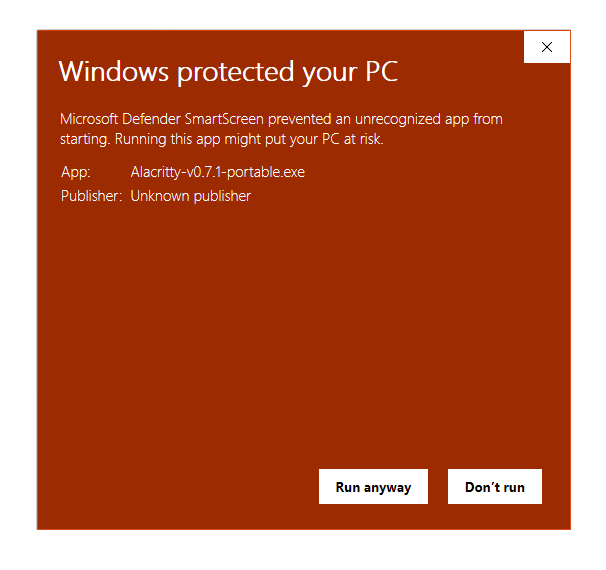 The dialog above is what Windows users will see when launching Alacritty for
the first time when downloaded directly. This is because we do not pay for and
manage a certificate for Microsoft's code signing process. More on this
below in [section 4.](#4-development-vs-distribution)
### 2. Software Notarization
Notarization takes code signing a step or two further, with [a complex series
of steps](https://developer.apple.com/documentation/xcode/notarizing_macos_software_before_distribution)
for developers to follow.
In addition to checking the software was in fact created by who it said it
was created by, notarization offers the distribution platform a way to
invalidate releases of the software as they become flagged as malware. Apple is
the primary platform pushing this distribution requirement.
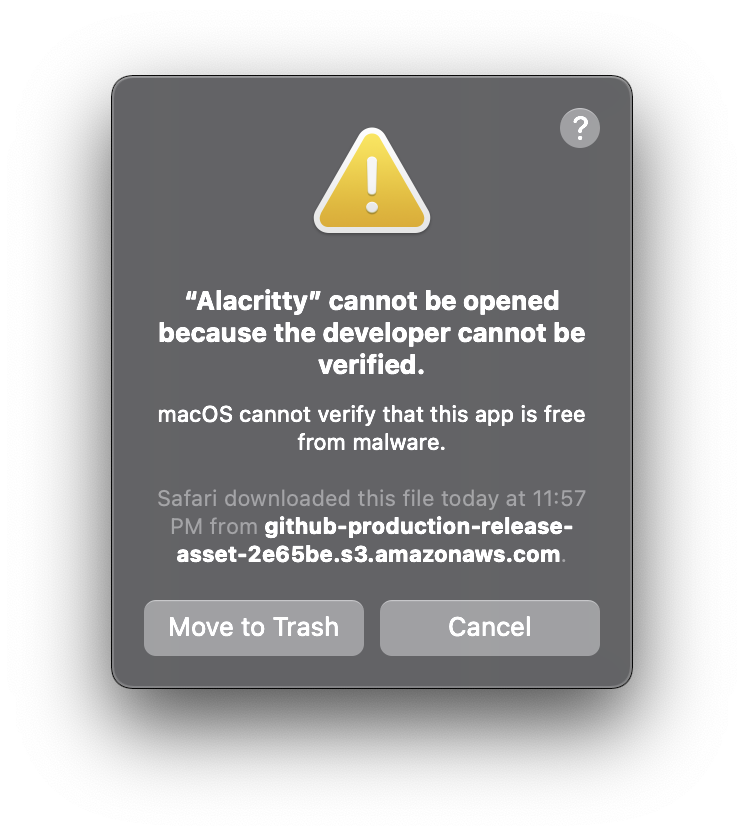 This works by flagging software as _quarantined_ until, upon the first launch,
the software notarization is checked. On macOS this flag can be removed either
in the system's preferences, or by running the following command:
```sh
sudo xattr -r -d com.apple.quarantine /path/to/Application.app
```
To my knowledge, applications aren't flagged as malware for legal reasons such
as breaking intellectual property law or other harboring of illegal activity.
However, it's not hard to imagine this happening as well. We're edging closer
and closer to a world where simply running software requires legal sign off.
If it weren't for the fact that applications can bypass the notarization
requirement at the request of the user, we would already be living in this
dystopia. Luckily, it's still an approved and relatively easy process to grant
these bypasses to individual applications.
### 3. Suggestions
1. Use notarization to trust a third party about the distribution (and aspects
of the software itself)
Platforms like macOS implement notarization, allowing Apple to revoke
applications if they are flagged as insecure. This makes it marginally
difficult to run software which wasn't notarized, however applications can
bypass the notarization requirement on a case by case basis. Many less
savvy users will be scared off by the messaging when an application isn't
notarized. Some people argue this is a reasonable default for preventing
malware on average users computers.
2. Use code signing to trust the distribution of the software by the developers
themselves
Platforms like Windows only implement code signing currently, however to
get a valid key-pair for use in verification, you must purchase one from an
official provider, as opposed to using something like GPG which can accept
an arbitrary developer's public keys.
1. When working with open source software, just trust yourself (and the
community) by building it yourself
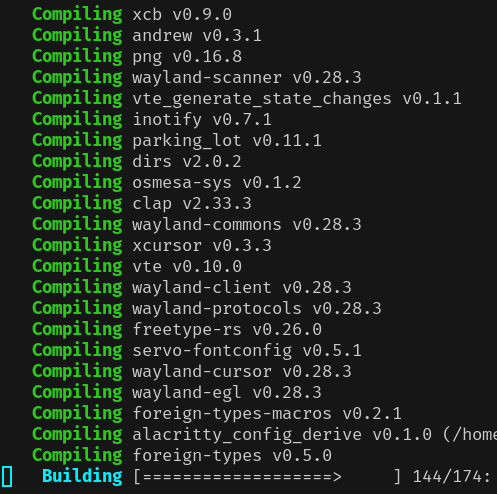
Nothing beats being able to build and run your own code. This is the only
way you can truly know what's going on inside your computer and have the
power to change it.
```
$ git clone https://github.com/alacritty/alacritty
$ cd alacritty
$ cargo build
```
 ### 4. Development vs. Distribution
The crux of the argument on the Alacritty issues listed at the start of this
post can be understood as a conflation of development and distribution.
**Distribution support is not the same as the software support itself.**
Just as some software may not be included in a package manager of specific
flavors of Linux, some software may or may not be packaged with signatures
and/or notarizations. In both cases, the underlying software can still be fully
compatible with the platform, even being tested effectively (developers generally
compile from source themselves). Both package manager submission and package
security features are separate from the development of the application itself.
In many cases, the packager is even a separate person from the development
team.
It may be fair to say that both software support and distribution support fall
into the category of "fitting in with the ecosystem". For some software, this
fitting in is crucial, while for others it may matter less. A lot of great
software aims to be platform agnostic, which can already be a challenge to
achieve at the running software level.
For Alacritty, perhaps the most widely used cross platform terminal emulator,
being platform agnostic is very important to us. With that in mind, it should
be understandable why we are resistant to adding too many features to our
codebase which only work for specific platforms, and why we generally avoid
dealing with distribution issues at all.
At the very least, distribution support implies software support. Which means,
if you're going to start somewhere, you had better get the software itself
working. Distributing broken software would be useless. It also should help you
understand that some software may still work, even if installing it may be a
bit different than you expect.
Of course in the case of Alacritty, **it is open source**, so there's never
anything stopping you from pulling down a version and building it yourself.
This is how I install it, and is probably the best way to do things in general.
If build times are a concern of yours, then there may be hoops to jump through
(like passing homebrew's `--no-quarantine` flag), but that's not stopping you
from using the software either.